Showing posts with label uv mapping. Show all posts

22 February 2015

UV Maps and Traps

ack. I've fallen into the trap of UV mapping... it's easier to do now than before but still doesn't mean I can do it quickly ack.

Sean's Transfer attribute method has worked so far but need to do some proper tests with the rig to make sure! I've also UV mapped all my assets including the cave.


So now I have a whole week of texturing ahead of me which should be interesting!. I've tried to do my maps in a way that I feel will be easier for me to get my head around when it comes to painting, which mean making them as frontal and close to the shape of my model as possible.

pod seat and body

face and cave

In other-words i've realised that I can't actually paint if everythings already mapped out for me so to speak - it needs to feel more organic and less procedural. I may cut off the back of the head when i'm painting it so my mind can just deal with the front of the face.

19 February 2015

Setbacks, Scalings and Silly UVs

Ack, well that's what avoidance gets me.... I'll blame Dolly Parton for this one.

In an attempt to avoid texturing and killing my laptop with I had put of scaling up my character and UV mapping... Only to realise that I kinda should have done that before rigging. Which really really sucks. I know there are ways round it but there's a chance I may need to break all of my rigging connections which may include the drivers and connection edits which sucks urggg.

Uuuurgggghhh.

Also no having issues with our Going Live rigs... In the rush to get everything rigged to start the animation the blendshapes had been pushed aside. Luckily I made copies of the mariachi's heads before skinning... But im now having issues attaching this cause the head is combined to the body etc etc etc.


Rigging has turned on me. I feel like a betrayed Captain America during Marvel's Civil War.... Rigging has become a sneaky Tony Stark in a dodgy Iron Man suit. 


21 November 2014

The Clean Up...

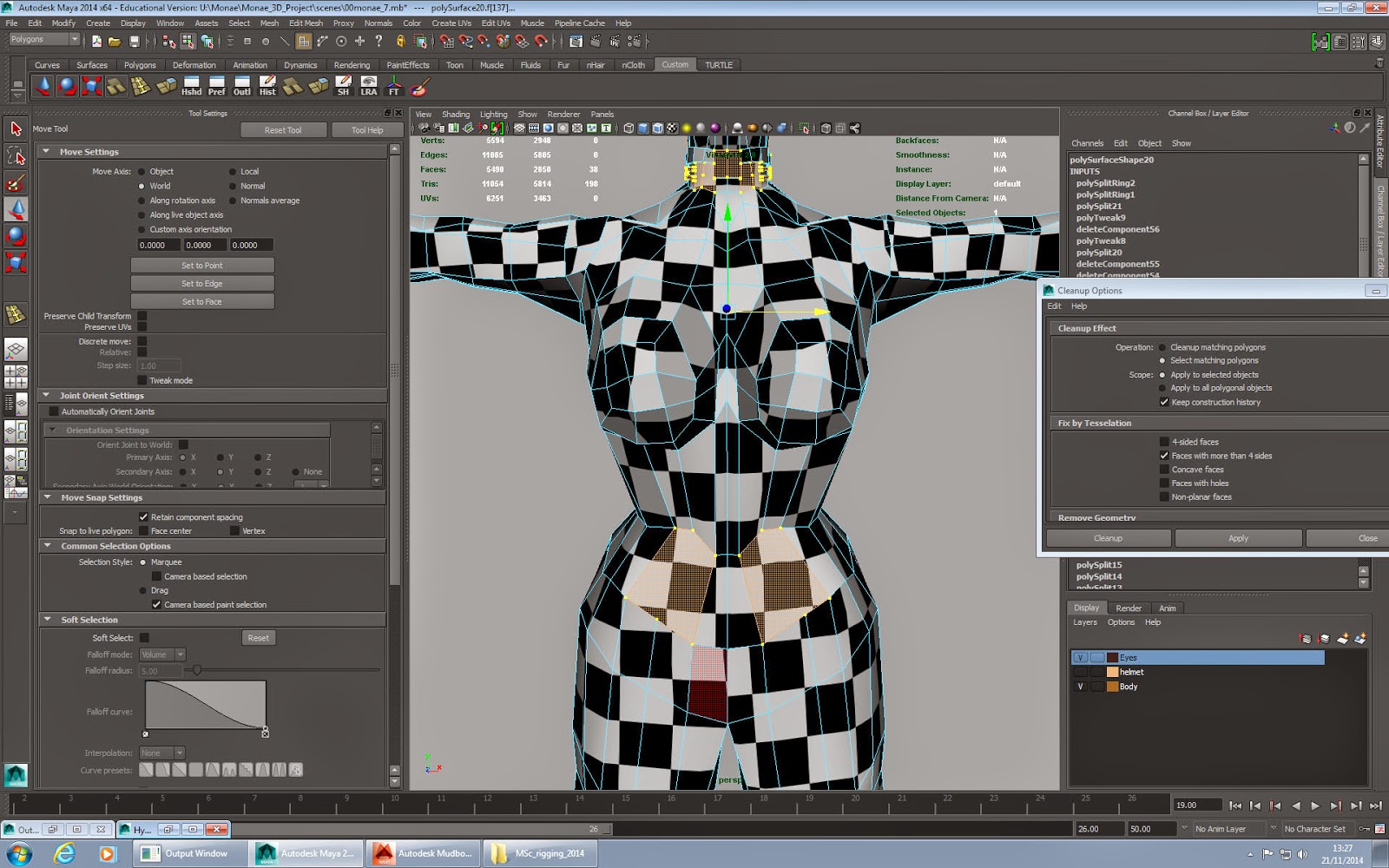
SO a couple of days ago I finished my slow UV mapping and was feeling like a boss, decided I would be awesome and start texturing in Mudbox only to be greeted with the below....


Yes... my poor model was the causality of T-Shapes - Shapes with more than 4 edges - (due to my trigger happy edge cutting). So after heaps of Googling for a quick fix, and adding more edge loops, Sean broke the news to me that i'd probably have to go through my model and fix it one by one, and then remap.

Woe is me.

But tbh it was probably a blessing in disguise for 3 reasons

Clean Up tool in action
  1. If Mudbox hadn't alerted me to it I may have run into issues with my rigging and would have had to remap and texture  if I made the changes much later
  2. It introduced me to the nifty Clean Up option which shows you where your problem areas are!
  3. It gave me the chance to re-evaluate my model, and I decided that there were bit on the body that I didn't like, and I wanted the suit to stand out more, so decided to add these sections as separate meshes instead of just extruding from the core body.


The clean up process and adding the extra topology happened a lot quicker than I expected AND I managed to UV texture it in half the time AND Mudbox now loves it.... although I'll probably be using Maya and Photoshop to texture now instead to get the details I want.

Mudbox loves me again
My model with the extra 
BOOM. NEW UV MAP!!

DEFINITELY taking this as a positive and feeling HEAPS happier with my model now and A LOT more confident with Maya, I really feel like i'm understanding the language of it. Huzzah

18 November 2014

Week 10: The Slowest UV Mapper Alive

SO.... after celebrating actually finishing my model, I forgot that I needed to UV map it =(. My experience of it thus far has been LONG and not as interesting, but needs must

I softened the blow my starting with her helmet first which didn't need mapping as it's glass and transparent! I looked at a few tutorials of how to do this, and decided on using the Maya Blinn texture and Ramp Shader (Reasons and tutorials below)

3D Total Glass Tutorial
A VERY useful tutorial - offered 3 methods of creating glass, and insight intto what needs to happen and why when we're texturing glass (refraction, reflection and transparency). I was a little unsure about what some things were/ did like Ramps so got a bit of info on them too.

Spa Fi Glass Tutorial
Again very useful but it didn't sit quite right for what I wanted.

Lynda Glass Tutorial - mia_material_x
I did like the use of mia_material_x, but it was a bit too realistic for more liking, it reflected on her face like real glass would and made it shiny, which wasn't the effect I wanted for her - glass shiny - Yes, her face shiny - No

Lynda Glass Tutorial - Blinn / Ramp Shader
 I went with this one using the Ramp Shader and added a bit of texture made in Photoshop via a tutorial HERE. So while it's shiny and transparent it doen't make her facce shiny and glassy either which is perfect

Playing around with Glass using Blinn and transparency
Glass using mia_material_x - WHY DOES HER HEAD LOOK LIKE A BOWLING BALL?!
Glass using Ramp Shading - her face isn't shiny! =D

And then there was UV Mapping - like modelling, I am ALSO the slowest UV mapper alive. ALTHOUGH it's ALOT easier than I remember it being and I know i'll get quicker with practice.

Again a learnt a lot about the process and why its important, it's also give me a couple of things to look out for when im next modelling - like how I attach the ear, and the curves of shoulders etc.

I had a bit of trouble at the beginning trying to figure things out but the Lynda
Digital Tutors and
Method J tutorials really were a god send, especially the Digital Tutors one

I also checked out a few non academic (normal people!) ones on Youtube to get a few more tips to help speed up my process:

https://www.youtube.com/watch?v=uPBJBeloki0
https://www.youtube.com/watch?v=r6KCWV4wyoQ
https://www.youtube.com/watch?v=7aBYVA_ekHM

The result? I actually managed to finish it in about 15 hours, and I am VERY happy with it. Will probably try to make my squares a bit smaller, but excited to start texturing in Photoshop and Mudbox.
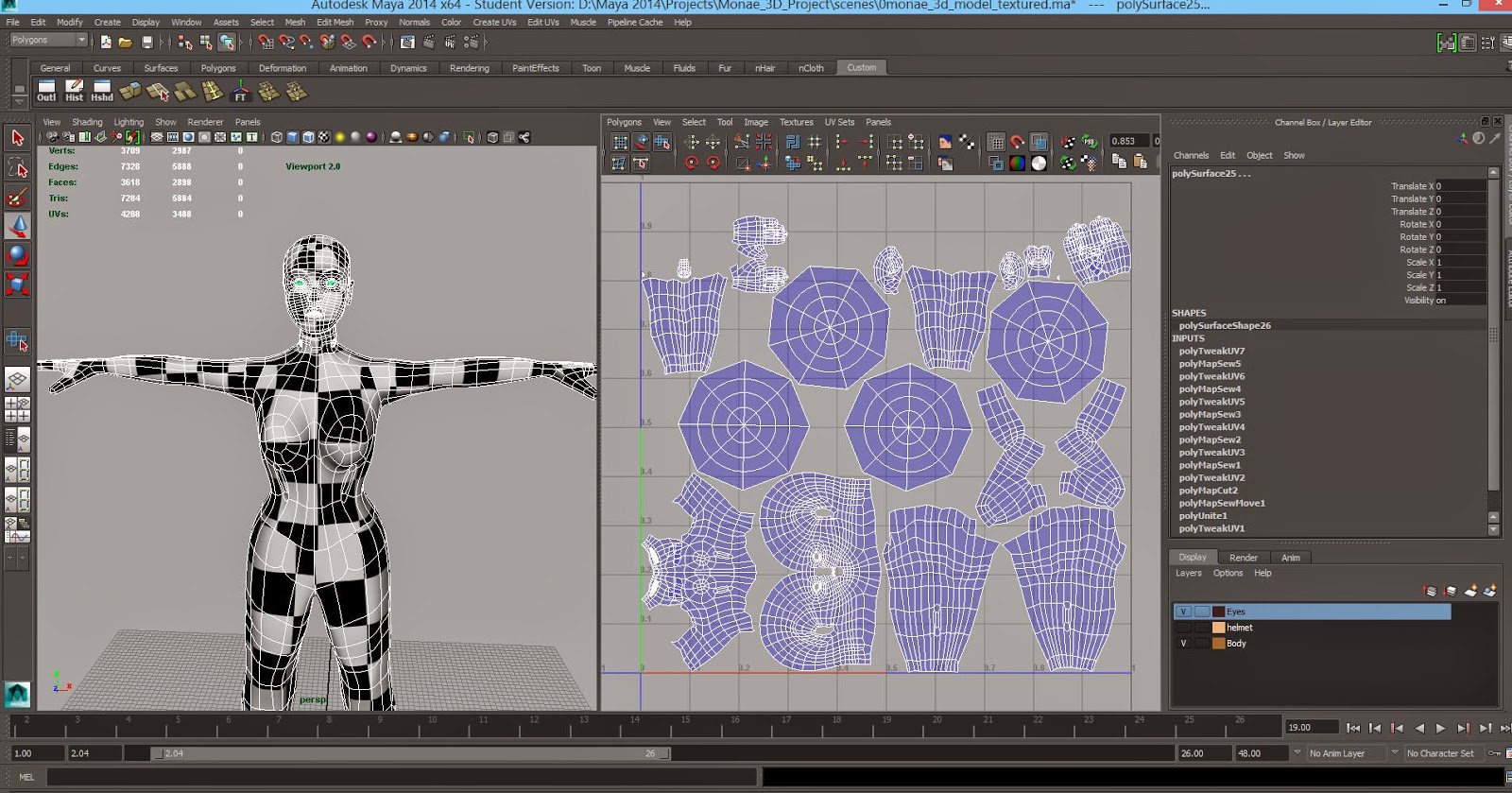
My UVed model.
UV snapshot for 2D painting!!

I think the only really downside of this is that it's REALLY highlighted a potential issue if my project is in 3D - i'm far far FAR to slow, so 2D with some 3D elements is still the front runner for my final project. I think i'll know fully when she's textured and rigged.

UPDATE
So i've been trying to figure out a way to make my checker texture smaller on my model. Scaling my UV maps only made them leave the box, so I found a much simpler way by going into the place2Dtexture and increasing the Repeat UV numbers (i've settled on 25)


Going to double check this with Sean in Friday's lesson to make sure I haven't broken her!