Showing posts with label week 10. Show all posts

26 November 2014

Week 11: Rigged...

I've finally started rigging my character! We had another lesson on it with weight-painting last week and i'm pretty sure this will come in handy after I bind my character to her skeleton.

I've got my anatomy books on standby just in case i'm a bit unsure of anything movement / placement-wise, but not feeling to worried about that.

So photos of the rigging and weight-painting I did during class.


Will update this post when my character is all rigged!

UPDATE
SO. It's taken me a glorious 3 days to rig my character. Setting the skeleton was fine, but I ran into a few issues with the rig control - mainly due to misunderstanding information and tiny mistakes coming to bite me on the arse later.

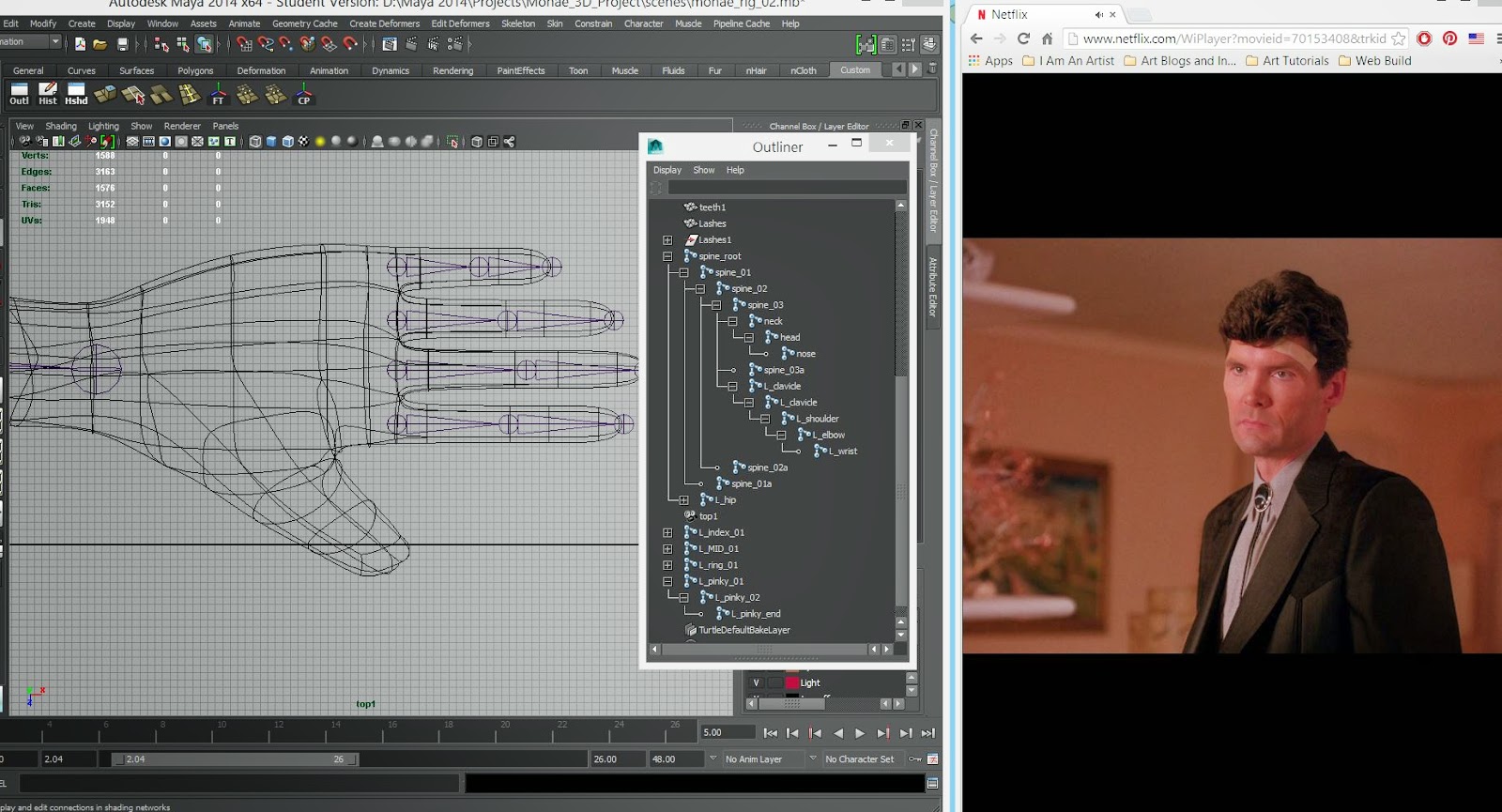
Full-body Skeleton and Twin Peaks...
Hand Joints and Twin Peaks...


RIGGED!!
All in all the experience has been alarming and addictive, but again having to redo this a few times has taught me heaps. My main rigging tips would be:

  1. Make Delete History and Freeze Transformation your best friend - doing this for the controls is so important to 'resetting' the joints back to where they should be if you've been moving controls around
  2. Love a Blend Node - Again, muchos important to the IK/FK/Bind joints, once you learn what they are and what they do, the "why isn't this moving?!' panic ends
  3. Check, Check Check - Pay attention to your model, skeletons and controls when changing attributes, constraining orients etc. You don't want to get to the end of your rig (cough cough) and find that the error was made 20 steps ago and you didn't see it cause you weren't paying attention
  4. Names are fun - Have a CLEARLY named hierarchy. There is SO much going on, and the Outliner looks like a disco. Clean and clear names will make it easier to locate particular joints
Next step is to bind, weight paint and pose!

Deformed Matrix: Test Bind


24 November 2014

Projects, Prep, Pictures

Just a quick update on some of the work i've been doing outside of my own stuff.

I've offered to help Amit and Slava with character design and story boards for their final projects. I've done a few preliminary sketches for their key characters based on their references and have finished the story board for Amits.

We're probably going to sit down next week to talk over everything and make some tweaks / changes ahead of producing final designs.

Sketches and Story board for Amit's project - The Forest Guardian


Sketches and beginning story board for Slava's project - Fall Of The Wall


Slava also organised a life drawing class with her pregnant friend (her main character is pregnant) which was really really useful. 

Was also great to get some life drawing in this week!

I've reached out to the people that have offered to help me with bits and bobs for my project and am hoping to sit down at some point next week to get feedback on what i've come up with so far.

Any advice is great advice right now, and a new perspective would be really useful.

Feeling good about it so far and plan on doing lots of practice and testing over the Christmas - need to make sure my 2D skills are up to scratch.

Many a thing to do!

22 November 2014

Textures, Trials and Tribulations

SUCCESS!

I now have a fully textured character model and I am feeling happy about it.


It was quite a soothing process. I decided to texture via UP maps in Photoshop. Photoshop does have a 3D option which is really helpful, so you can paint straight on your model, but I didn't want to stress out my laptop with the rendering needed to smooth it for the important.


My go to for references was The Incredibles and Wall-E - I felt they were both similar in terms of the textures / look and feel I want to achieve.

I checked out a couple of tutorials for how to get the glowing effect I wanted. The 2 below were super simple and helpful!

How To Make Objects Glow
  1. https://www.youtube.com/watch?v=CijESEporUo
  2. http://nealbuerger.com/2012/02/create-neon-glow-effect/
I also added a couple of grungy textures to the suit to make it look a bit more worn

Now for a few photos and my end result.

my spiffy coloured UV map
Glow type 1 - TOO BRIGHT!!


Glow type 2 - BETTER!


Testing render snapshot with different background

I can't look at this anymore otherswise i'll start nit picking and trying to change things.... but all in all, very happy with the result. I might import her into Mudbox to paint over the seams as a final clean up.

3D is fun, and I am still slow.

UPDATE:
Also decided to do an animated turn

21 November 2014

The Clean Up...

SO a couple of days ago I finished my slow UV mapping and was feeling like a boss, decided I would be awesome and start texturing in Mudbox only to be greeted with the below....


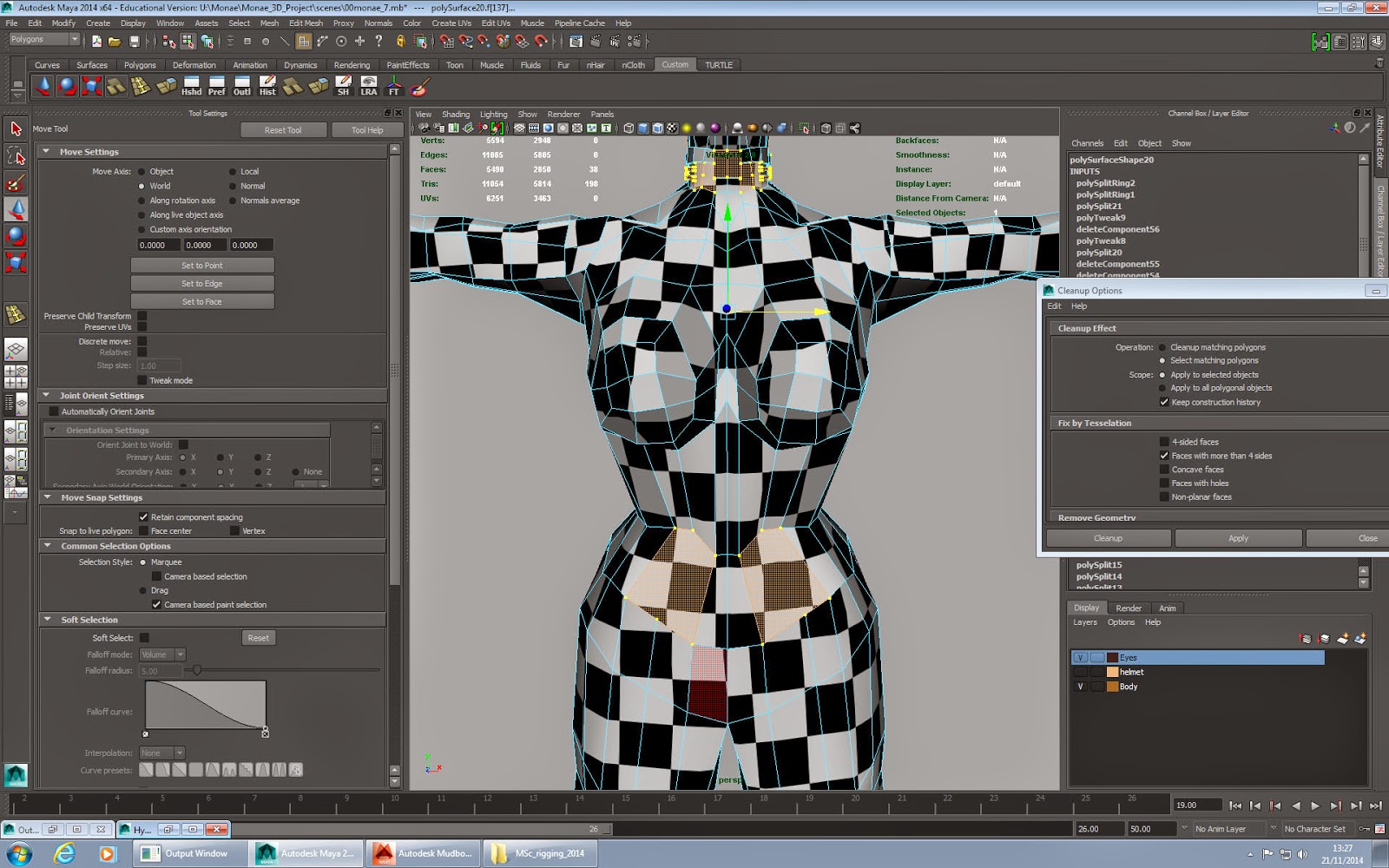
Yes... my poor model was the causality of T-Shapes - Shapes with more than 4 edges - (due to my trigger happy edge cutting). So after heaps of Googling for a quick fix, and adding more edge loops, Sean broke the news to me that i'd probably have to go through my model and fix it one by one, and then remap.

Woe is me.

But tbh it was probably a blessing in disguise for 3 reasons

Clean Up tool in action
  1. If Mudbox hadn't alerted me to it I may have run into issues with my rigging and would have had to remap and texture  if I made the changes much later
  2. It introduced me to the nifty Clean Up option which shows you where your problem areas are!
  3. It gave me the chance to re-evaluate my model, and I decided that there were bit on the body that I didn't like, and I wanted the suit to stand out more, so decided to add these sections as separate meshes instead of just extruding from the core body.


The clean up process and adding the extra topology happened a lot quicker than I expected AND I managed to UV texture it in half the time AND Mudbox now loves it.... although I'll probably be using Maya and Photoshop to texture now instead to get the details I want.

Mudbox loves me again
My model with the extra 
BOOM. NEW UV MAP!!

DEFINITELY taking this as a positive and feeling HEAPS happier with my model now and A LOT more confident with Maya, I really feel like i'm understanding the language of it. Huzzah

18 November 2014

Week 10: The Slowest UV Mapper Alive

SO.... after celebrating actually finishing my model, I forgot that I needed to UV map it =(. My experience of it thus far has been LONG and not as interesting, but needs must

I softened the blow my starting with her helmet first which didn't need mapping as it's glass and transparent! I looked at a few tutorials of how to do this, and decided on using the Maya Blinn texture and Ramp Shader (Reasons and tutorials below)

3D Total Glass Tutorial
A VERY useful tutorial - offered 3 methods of creating glass, and insight intto what needs to happen and why when we're texturing glass (refraction, reflection and transparency). I was a little unsure about what some things were/ did like Ramps so got a bit of info on them too.

Spa Fi Glass Tutorial
Again very useful but it didn't sit quite right for what I wanted.

Lynda Glass Tutorial - mia_material_x
I did like the use of mia_material_x, but it was a bit too realistic for more liking, it reflected on her face like real glass would and made it shiny, which wasn't the effect I wanted for her - glass shiny - Yes, her face shiny - No

Lynda Glass Tutorial - Blinn / Ramp Shader
 I went with this one using the Ramp Shader and added a bit of texture made in Photoshop via a tutorial HERE. So while it's shiny and transparent it doen't make her facce shiny and glassy either which is perfect

Playing around with Glass using Blinn and transparency
Glass using mia_material_x - WHY DOES HER HEAD LOOK LIKE A BOWLING BALL?!
Glass using Ramp Shading - her face isn't shiny! =D

And then there was UV Mapping - like modelling, I am ALSO the slowest UV mapper alive. ALTHOUGH it's ALOT easier than I remember it being and I know i'll get quicker with practice.

Again a learnt a lot about the process and why its important, it's also give me a couple of things to look out for when im next modelling - like how I attach the ear, and the curves of shoulders etc.

I had a bit of trouble at the beginning trying to figure things out but the Lynda
Digital Tutors and
Method J tutorials really were a god send, especially the Digital Tutors one

I also checked out a few non academic (normal people!) ones on Youtube to get a few more tips to help speed up my process:

https://www.youtube.com/watch?v=uPBJBeloki0
https://www.youtube.com/watch?v=r6KCWV4wyoQ
https://www.youtube.com/watch?v=7aBYVA_ekHM

The result? I actually managed to finish it in about 15 hours, and I am VERY happy with it. Will probably try to make my squares a bit smaller, but excited to start texturing in Photoshop and Mudbox.
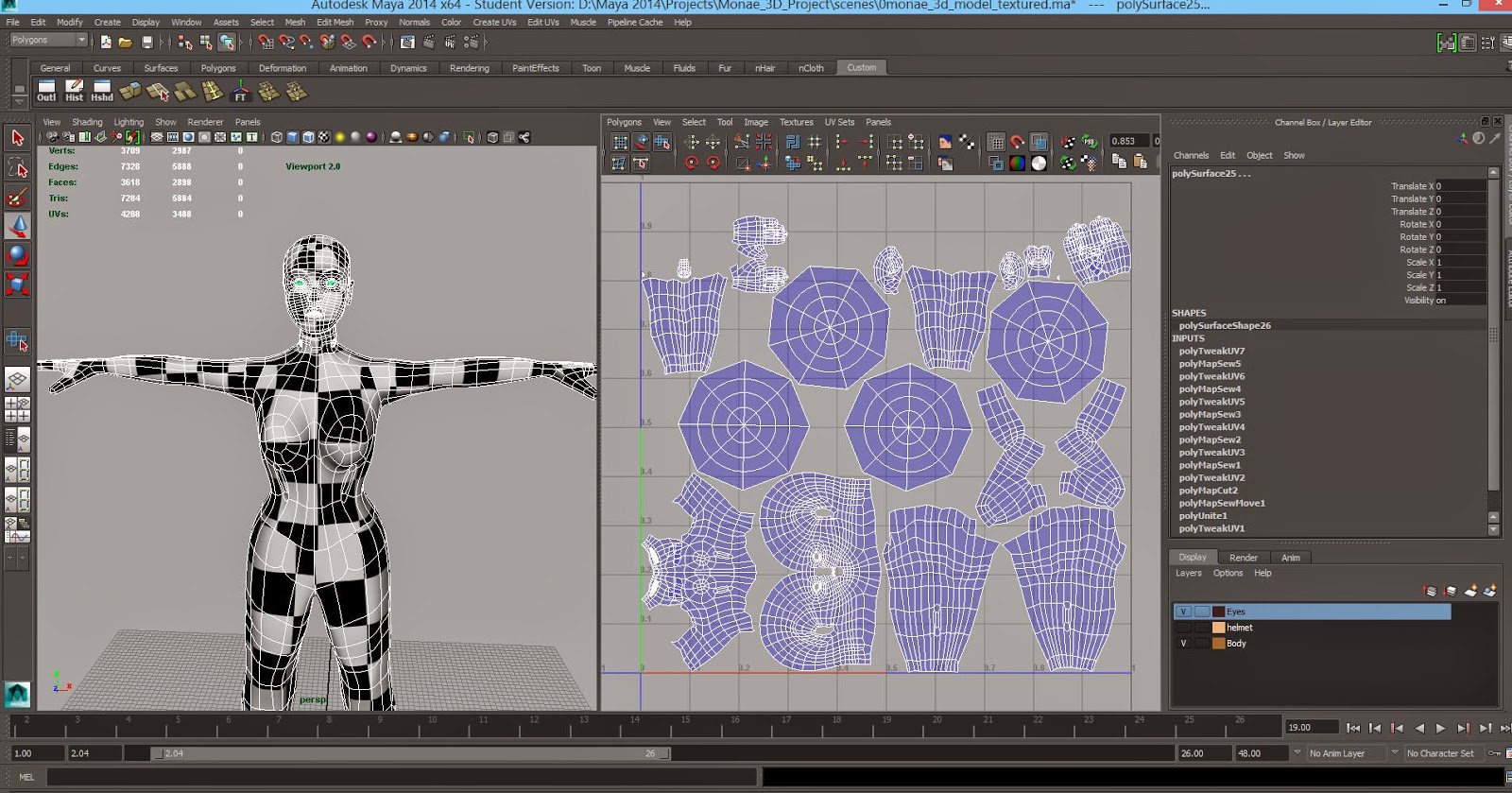
My UVed model.
UV snapshot for 2D painting!!

I think the only really downside of this is that it's REALLY highlighted a potential issue if my project is in 3D - i'm far far FAR to slow, so 2D with some 3D elements is still the front runner for my final project. I think i'll know fully when she's textured and rigged.

UPDATE
So i've been trying to figure out a way to make my checker texture smaller on my model. Scaling my UV maps only made them leave the box, so I found a much simpler way by going into the place2Dtexture and increasing the Repeat UV numbers (i've settled on 25)


Going to double check this with Sean in Friday's lesson to make sure I haven't broken her!